I've been dictating almost around the clock for close to two years now. It feels a little odd to say I fell in love with a way of typing, but that's more or less what happened the first time I used Whisper: I thought it would change how I work, and then I started using it everywhere. These days it's about four hours a day across every device I own.
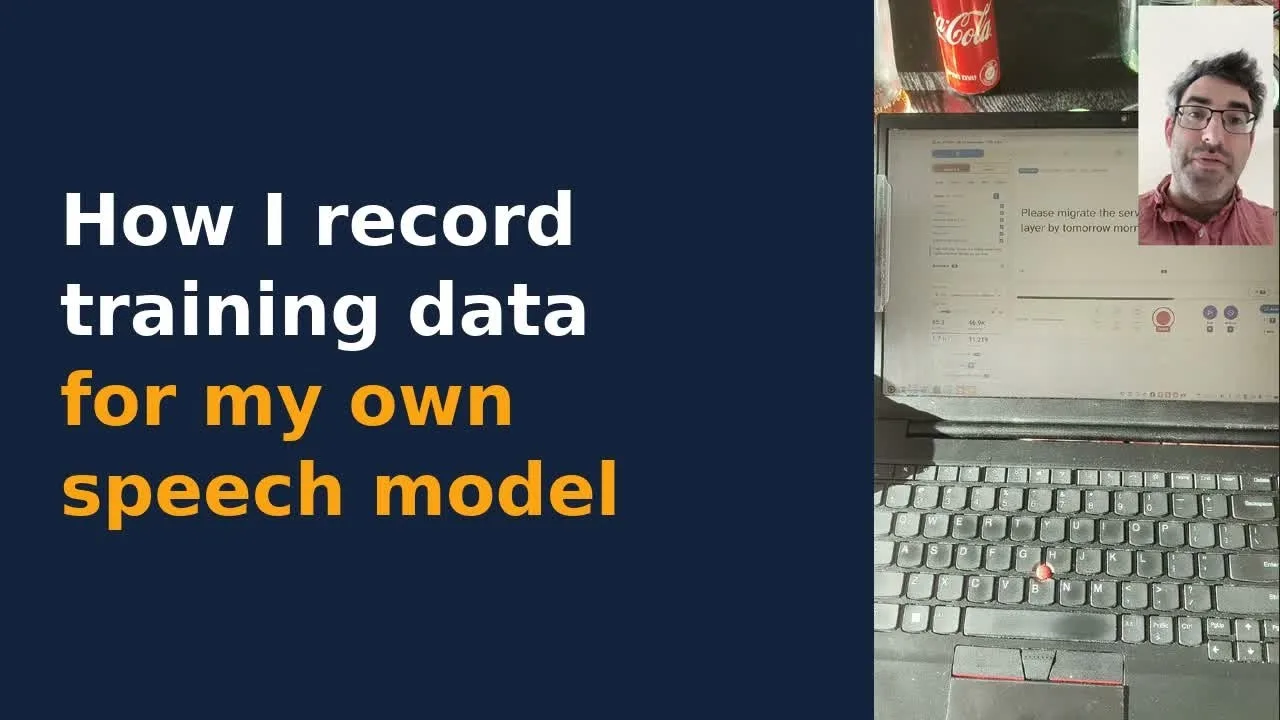
GitHub Repository openai/whisper Robust Speech Recognition via Large-Scale Weak Supervision ★ 112.7kPythonMITUpdated Aug 2026 View on GitHubFor the past few months I've also been fine-tuning my own speech-to-text models on my own voice. Fine-tuning is the easy part to talk about. The part nobody films is collecting the training data, so I made a short video showing how I actually do it (the "glamorous" face of speech AI development, as I put it in the video, with a can of Coca-Cola just off camera). This post is the written version.
Why record my own data at all
It started with code-switching. Living in Israel, the dictation I do every day is English with Hebrew words dropped into it, and even very good off-the-shelf models don't get "Machane Yehuda" right.
Then the list grew. Tech brand names come and go so quickly that a speech model trained on an older corpus can't keep up, and that includes NVIDIA's Parakeet, which is otherwise excellent. So technical vocabulary became the next domain. More recently I've added smaller things, like formatting: if I say "a meeting on August the 9th", I want "August 9".
That last one raises a question I still haven't settled (and I don't think anyone else working on voice has either): where should speech recognition stop and post-processing begin?
The recording setup
I'm a desktop person at heart, but we moved apartment a few months ago and I've been on a laptop since, a humble ThinkPad E15. I leaned into it for voice capture. I did record a lot of takes on my phone, but I never fully trusted Android to capture audio well at the bit rate I record at, so most of the work happens at the laptop with a condenser microphone.
The recording app itself was built for me by Claude Code. It runs on the laptop and on my phone, and according to its counter I've recorded about 31,000 clips with it. (I do sleep. It's all done in batches.)
The biggest lesson from this whole project is that the interface is everything. If recording a batch is easy, you get into a kind of flow state: some of the sentences are mildly interesting, and before you know it you've pushed up another 100 or 200. If it's fiddly, you stop after ten. So most of the effort went into making it quick and easy, on a small phone screen as well as the laptop (which is harder to get right than it sounds).
A gamepad as the controller
The microphone sits in front of me and the keyboard shortcuts are somewhere else, and I didn't want to spend whole days leaning over the laptop to reach them. So I went looking for a controller and landed on a Logitech F310 gamepad, a blast from the past. I haven't used a game controller since I was a teenager.
I went for the USB version on purpose. When you do this for hours at a stretch, you come to appreciate USB's reliability. Claude also printed me a little card with the button mapping, because I kept forgetting which button did what. X starts a take, B saves, and there are buttons for retake and skip. An "auto next" setting moves on to the next sentence after a short delay (I can set it as low as 300 milliseconds).
Many sentences go through in one take. Plenty need two or three before I get the pronunciation right. And I keep a glass of water next to me and take a break roughly every ten clips, which matters more than any of the hardware.
Where the takes go
Every take goes up to a Cloudflare R2 bucket first, as staging. Periodically those are pulled across to Hugging Face, and the fine-tuning runs pull their data from Hugging Face. There's an urgent sync button for the times I want to bypass staging.
I also built a small corner of the app for capturing vocabulary ideas, because they kept occurring to me in the middle of a batch, especially when I was out of the house. Those go up to Hugging Face too.
Where the sentences come from
A task picker lets me choose which words I'm training on. Sentences are batched into groups, a priority list of words overrides the rest, and I can save mixes ("today is phonetics", say).
A lot of the sentences are LLM-generated, but not blindly. I have a Claude Code skill for vocabulary development: I tell Claude what's missing and what I want emphasised, we work out some candidate examples and word-and-context pairs together, and then DeepSeek V4.1 Flash on OpenRouter writes a batch of sentences from them. I suppose you could call it supervised synthetic data generation. A second skill works backwards from my own transcription history: it finds where the models mistranscribed me, and those words get new sentences.
There's some real text too, from fully open-source books. That fixes a defect in the data. Short sentences are good for teaching vocabulary, but if you want a model to learn punctuation and the breaks between sentences, it needs longer training samples. So there's a reading mode that serves longer passages in order. I asked Claude to make them narratives, so that I have something to actually think about while reading, which makes an hour or two at a time very doable.
Eating my own cooking
It sounds a bit mad to say I've recorded about 65 hours of audio so far. What makes it worthwhile is that I use the results myself. I train a new checkpoint every few days, download the weights and dictate with them all day. (I won't say "eat your own dog food". I don't like the expression, and I don't have a dog.) That gives me very direct feedback on where a fine-tune has improved, where it still lags, and what to record next.
I wanted to reach a strong baseline quickly, which is why so much of the recording happened in quick succession. From here I expect to slow down to a few hours a week, mostly spent finding what fails and adding vocabulary, with very small incremental fine-tunes in between. That rhythm appeals to me a lot.
The models it feeds
All of them are fine-tunes of NVIDIA Parakeet TDT 0.6B v2 or Nemotron, and the names (Israeli and Irish foods) were Claude's idea:
Sabich (Rolling): English-Hebrew code-switching plus tech vocabulary, updated as the data grows.
Jachnun: code-switching only.
Shakshuka: a streaming model.
Fritter: tech vocabulary and general English, including dictating things like IP addresses. Licensed CC-BY-NC-4.0.
Falafel: trained on short commands ("open tab", "close tab") from a subset of the same data, for a desktop voice agent.
The weights are on Hugging Face. Strictly speaking they are open weights rather than open source, and some are gated: the Hebrew ones are more sensitive, and I don't want them misused. Fritter is open for anyone to download. If you use Claude Code or similar tools, you probably dictate things like "put this on 10.0.0.1" all day, and that's precisely the kind of thing it's trained on. Fritter got its own home this week, written up in a separate post.
It's a slightly tedious process, if not as strange as it sounds. But dictation is a daily business tool for me, and watching the vocabulary improve from one update to the next is a very nice feeling.
