
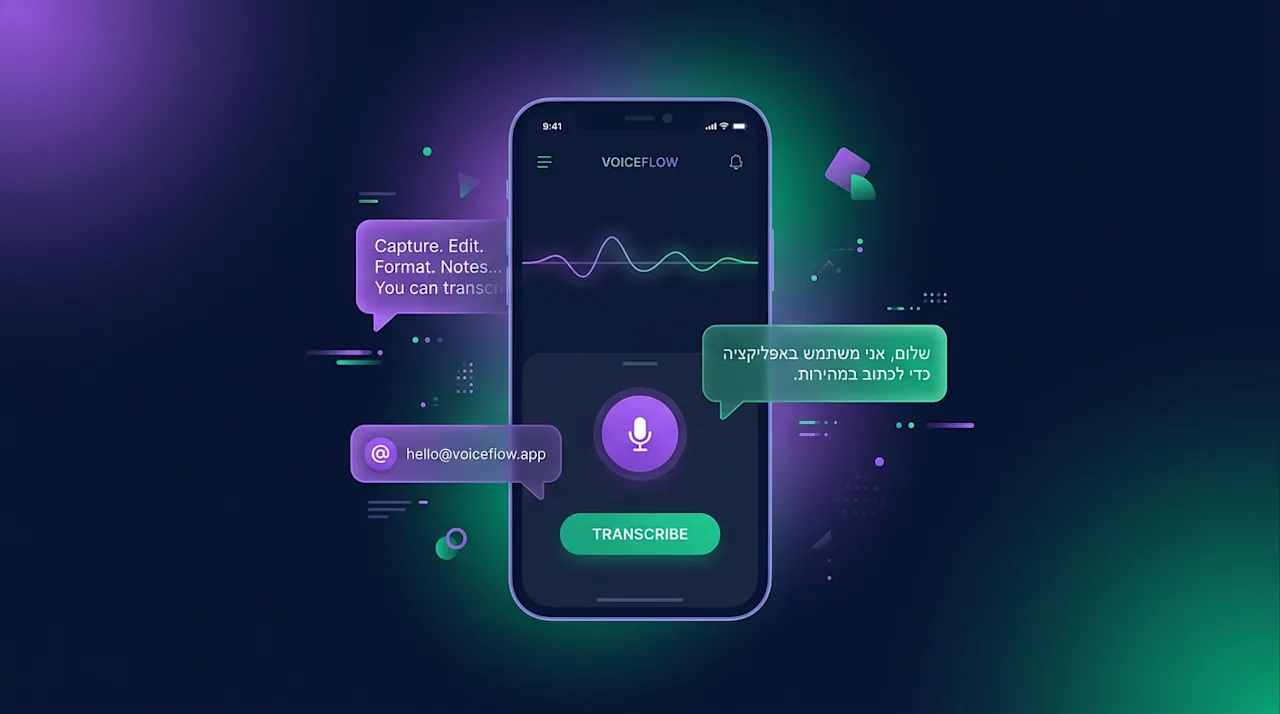
I built a thing. It is called Voxcast, it runs on Android, and it exists because I got tired of the gap between *having said the thing* and *the thing being a clean, sendable email*.
The premise is mundane. You hold the phone, you talk, you stop talking, you tap Transcribe, and a few seconds later your clipboard contains either a tidied-up version of what you said, or — depending on which preset you picked — a polite professional email with a subject line, or a structured prompt for an LLM, or a Hebrew message ready to paste into WhatsApp. That is the entire app. There is no feed, no account, no telemetry, no monthly subscription tier (none of that "Pro" nonsense — if you've already had to think about a paywall, the friction war has been lost).
It's open source. The repo is danielrosehill/Voxcast and the latest signed APK is on the releases page.
Speak. Reshape. Send. — A serious voice-to-text Android app powered by OpenRouter + Gemini.
Why this and not the dictation key
Every Android keyboard has a microphone button now. Gboard's voice typing is genuinely good — it inserts punctuation, it handles multi-language input, and it is sitting one tap away in every text field on the device. So why bother building anything?
Because dictation gives you a transcript. Voxcast gives you a *deliverable*. Those are different artefacts.
A transcript is what you said with the ums removed. A deliverable is what you actually wanted: a paragraph that doesn't sound like someone talking at their phone in a car park, an email that opens with "Hi Sarah," instead of "so basically what I want to say is," a to-do list extracted from a verbal brain-dump, a prompt for Claude or ChatGPT that has the structure those models actually respond to. The reformatting is the whole point. The transcription is just the first step.
The presets, in case you are curious, are: Basic cleanup, Professional Email, AI Prompt, Dev Prompt (for engineering tasks specifically), To-Do, Note, Shopping List, Chore List, Casual Hebrew, Hebrew Email, and a 200+ prompt library borrowed from another repo of mine. You pick one per session — there's no layering, no chaining, no "stack three transformations and see what happens." If the whole point is to remove friction, adding more decisions defeats the exercise.
The Hebrew thing
Two of those presets are Hebrew, and they are the reason I am writing this on the personal blog rather than on the technical one — they're the bit I think other olim and Hebrew-second-language types might actually find useful.
Casual Hebrew. Speak in any language — English, broken Hebrew, a mix — and you get back a casual conversational message in Hebrew script. The kind of thing you'd send to a contractor on WhatsApp, or to your kid's gan, or to whoever wants you to confirm an appointment. The tone target is "friendly Israeli adult who is being polite but not formal." It writes the Hebrew that I, after years of living here, *still* second-guess every single time I send it.
Hebrew Email. Same input, but the output is a proper email — polite register, subject line, body, the lot. The model returns it in a structured format with `SUBJECT:` and `BODY:` labels (kept in English so the parser is language-agnostic), and the app shows two copy buttons so you can paste subject and body separately into Gmail. This is the preset I reach for when I have to email a government office, a school administrator, or anyone for whom my own Hebrew register would land somewhere between "American tourist" and "wrote the message in Google Translate" — neither of which is a good look.
For the avoidance of doubt: this is not magic. It is Gemini 3.1 Flash Lite via OpenRouter, which is a perfectly competent model for short-form text reformatting and is also extremely cheap. The output is occasionally going to be off; you should still read it before you send. But for day-to-day "I need to communicate this in Hebrew and I don't want to spend ten minutes drafting it" purposes, it has been surprisingly good.
What you'll need to get it running
This is the awkward part of any "bring your own LLM" tool. There is a setup tax. I have tried to keep it as small as possible.
1. An OpenRouter account with a balance. OpenRouter is a unified API gateway that proxies hundreds of models. Sign up, top up some credit (five dollars goes a very long way for a tool like this — Gemini 3.1 Flash Lite costs fractions of a cent per request), and from your dashboard, generate an API key. The key starts with `sk-or-v1-`. Keep it somewhere; you'll paste it into the app once.
2. The APK. Download the latest signed APK from the releases page on GitHub. Android will warn you about installing from an unknown source. This is expected — I am the unknown source. (I have not put it on the Play Store, partly because the Play Store developer fee is a hundred and twenty-five quid and partly because I am ideologically allergic to app store gatekeeping for tools this small.)
Speak. Reshape. Send. — A serious voice-to-text Android app powered by OpenRouter + Gemini.
3. Install, open, paste. Open the app, tap the gear icon in the top right, paste the API key into the OpenRouter API key field, optionally enter your name (used as context for the email modes — you are the *sender*, never the recipient), and tap Save.
4. Pick a preset. First launch will prompt you to choose one. I'd start with Basic Cleanup to see what the round-trip feels like, then move on to Email or one of the Hebrew modes once you trust the basic flow.
5. Talk. Tap Record, talk, tap Stop, tap Transcribe. The result lands in your clipboard automatically. For email modes, the body is auto-copied; the subject has its own button.
That is the entire interaction loop. There is no second screen.
A note on Crazy-Keyboard
Voxcast has a sibling project called Crazy-Keyboard, which is the same idea pushed in the opposite direction — emoji-flavoured presets, mode-stacking, layering, the works. Crazy-Keyboard is for fun. It is the app where you can stack "make this rhyme" on top of "make this 12% more sarcastic" on top of "translate to Yiddish." Voxcast started as a fork of Crazy-Keyboard and was then ruthlessly stripped down. One preset at a time. No layering. Lower model temperature (0.3 instead of 0.9) because in productivity mode you want fidelity, not creativity.
danielrosehill/Crazy-Keyboard View on GitHubIf you are the sort of person who likes both — and there is no rule against it — they coexist on-device. They use different package IDs and don't share data. Crazy-Keyboard is for when you want to *play* with your voice. Voxcast is for when you want to *send* the email already.
What's next
A push-to-talk mode is on the planning list — the original Crazy-Keyboard flow with multi-clip recording, pause/resume, undo-the-last-take, retake-everything. I pulled it out of v0.2 because for the 90% case (one take, transcribe, done) the controls were noise. But there's a real workflow for longer dictation — drafting a substantive piece of writing by voice — where multi-clip is genuinely useful, and I want to surface it as its own mode rather than cramming it into the main flow.
If you try it and have thoughts — particularly on the Hebrew presets, where I'd love feedback from people whose Hebrew is better than mine — open an issue on the repo, or drop me a note. The thing exists because I needed it; if it turns out other people need it too, all the better.
