
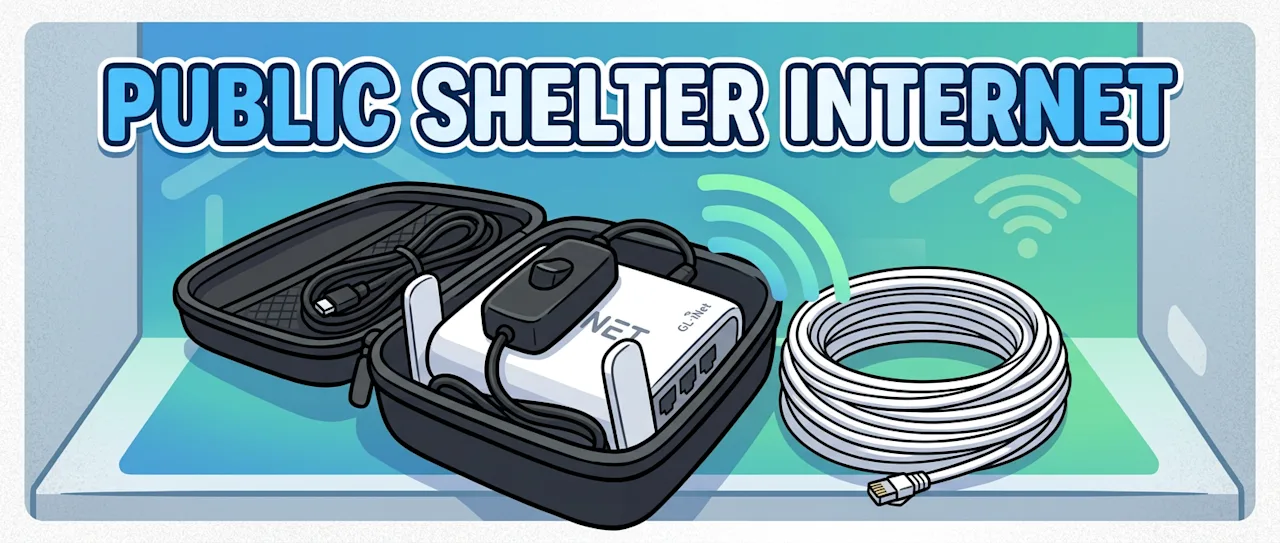
About 30% of Israelis don't have a protected room (mamad) in their home. When the sirens go off, they head to the nearest public bomb shelter — underground concrete structures designed to withstand missile impacts. The concrete that keeps you safe also blocks cellular and Wi-Fi signals almost completely. And that creates a dangerous information gap.
The Home Front Command app and wireless emergency alerts are how people know when it's safe to leave shelter. Without internet, you're guessing — and leaving too early means exposure to shrapnel from ongoing interceptions. It's a real, life-threatening problem.
The Solution: A Backpack Internet Relay
I built a portable kit that fits in a carry case (originally designed for microphone equipment) and brings internet into the shelter. The concept is simple: grab cellular signal at the top of the shelter stairs where reception still works, convert it to ethernet, run a cable down into the shelter, and rebroadcast it as Wi-Fi using a travel router.


How It Works
The hardware is all consumer-grade and affordable:
An old Android phone (5G capable) as the signal source
A USB-C to ethernet adapter to convert the phone's connection to a wired signal
A 20-meter ethernet cable running down the shelter stairwell
A GL.iNet travel router that receives the ethernet and broadcasts Wi-Fi inside the shelter
A power bank to keep the router running


The key insight is using ethernet tethering rather than Wi-Fi hotspot on the phone. This concentrates all available bandwidth on the wired connection rather than splitting it. The phone sits near the top of the stairs where it can still get a cellular signal, and the ethernet cable carries that connection down into the concrete box below.

The Deployment Model
This isn't something you set up during an emergency. The ethernet cable gets pre-installed along the stairwell railings between alerts — you do this once for your regular shelter. The carry case has an ethernet coupler on the exterior, so during an alert the process is:
Grab the backpack
Plug the pre-installed ethernet cable into the case coupler
Turn on the power bank
Wi-Fi is now broadcasting inside the shelter
The whole thing takes about 30 seconds.


Scaling Up: Mesh Extension
For larger shelters, the basic setup can be extended into a mesh network using additional GL.iNet routers in repeater mode. Each repeater needs its own power bank but shares the same upstream internet connection.


Build Tips
A few things I learned during the build:
Superglue the power bank and router together. When you're rushing to shelter, you don't want things shifting around in the case.
Use a USB switch to turn the router on and off without disconnecting cables.
Velcro ties keep the cables organized inside the case.
For mesh setups: disable 5 GHz to save power, hide the SSID on the primary node, and use consistent manually-set Wi-Fi channels.
Why This Matters
This isn't a theoretical exercise. During escalations, people in shelters without connectivity have no way to know when the all-clear is given. They either wait indefinitely or take a chance and leave early. Neither option is acceptable when interceptions are happening overhead.
The entire kit costs under $100, uses off-the-shelf hardware, and can be assembled in an afternoon. The project is open source — you can find the full build documentation, hardware list, and configuration details on GitHub.
Downloads
Printable build guides are available as PDFs:
Build Guide (English) — PDF
מדריך בנייה (עברית) — PDF
The full source, hardware list, and documentation are on GitHub.
